
Bring your branding.
Upload a cover and profile photo. Set the page name, follower counts and the action you want people to take.
Give your brand a place to belong.
Your cover, your story, your page.
Keep an editable copy on your device. How it works
A FEW WAYS TO MAKE IT YOURS
A welcoming café, a fresh collection, a place for your community. Explore full pages and focused headers in mobile, desktop and dark views. Load a look and make every part your own.
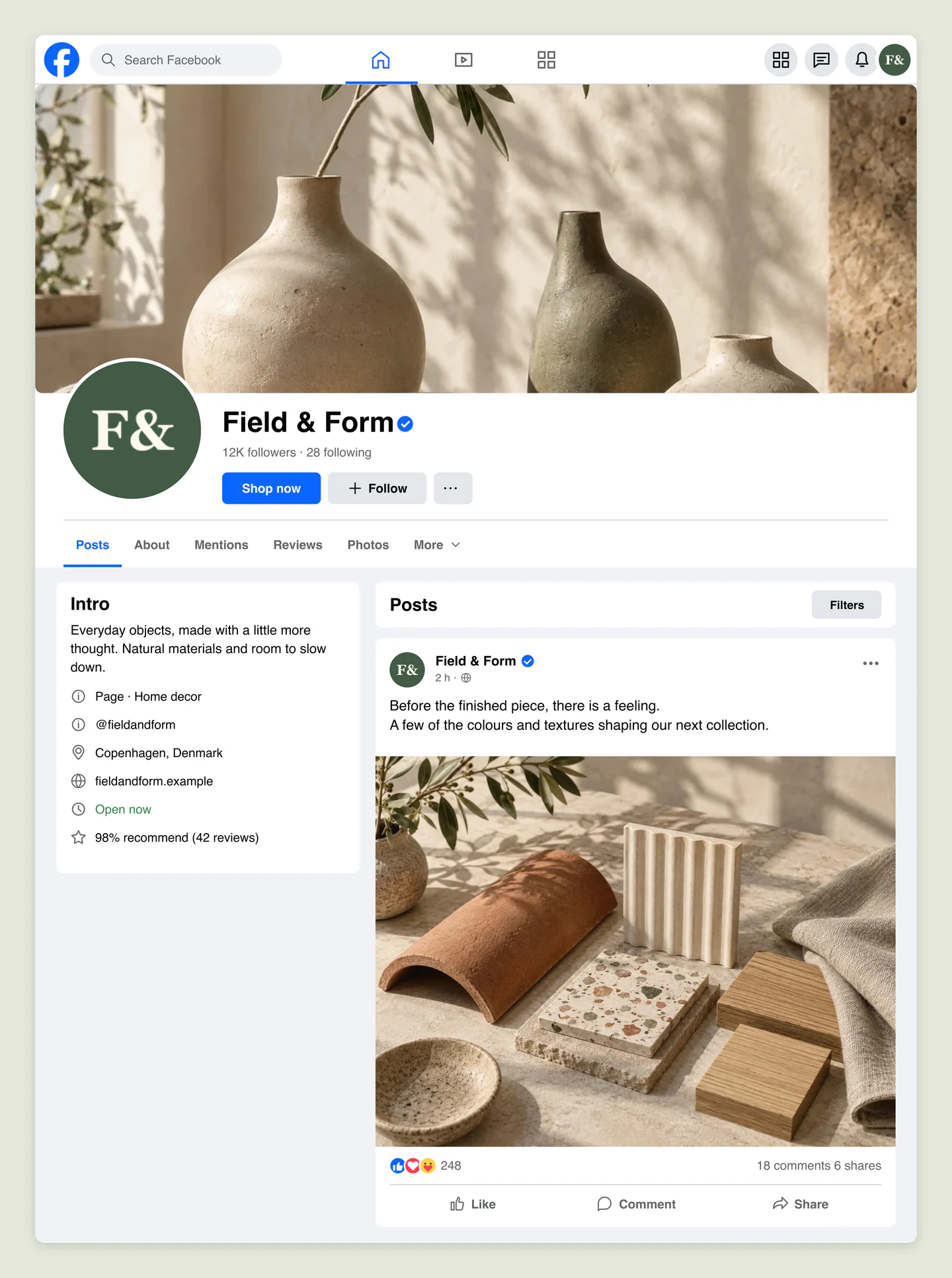
Desktop · Light · Homeware shop
A complete desktop Facebook Page for a homeware brand, with a ceramics cover, a separate materials photo, shop button and business introduction. Try your branding across the whole page.
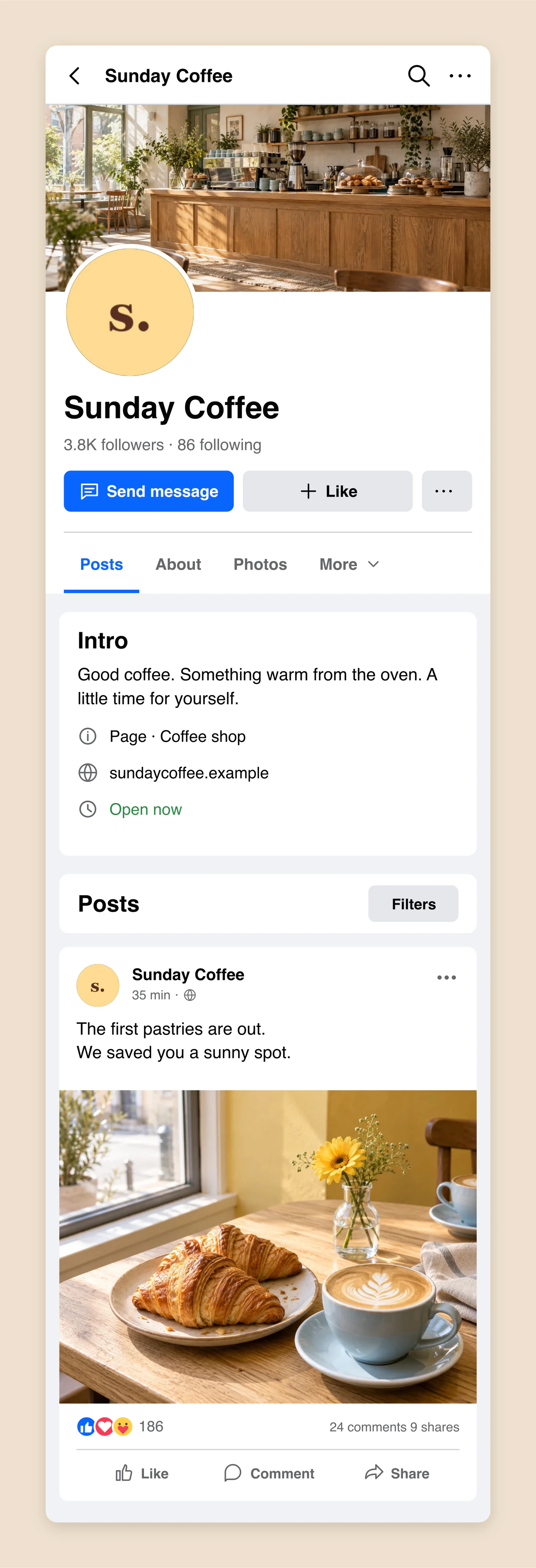
Mobile · Light · Neighborhood café
A mobile Facebook Page for a neighborhood café, with a welcoming interior cover and a separate pastry photo. Preview the introduction, opening status and message button together.
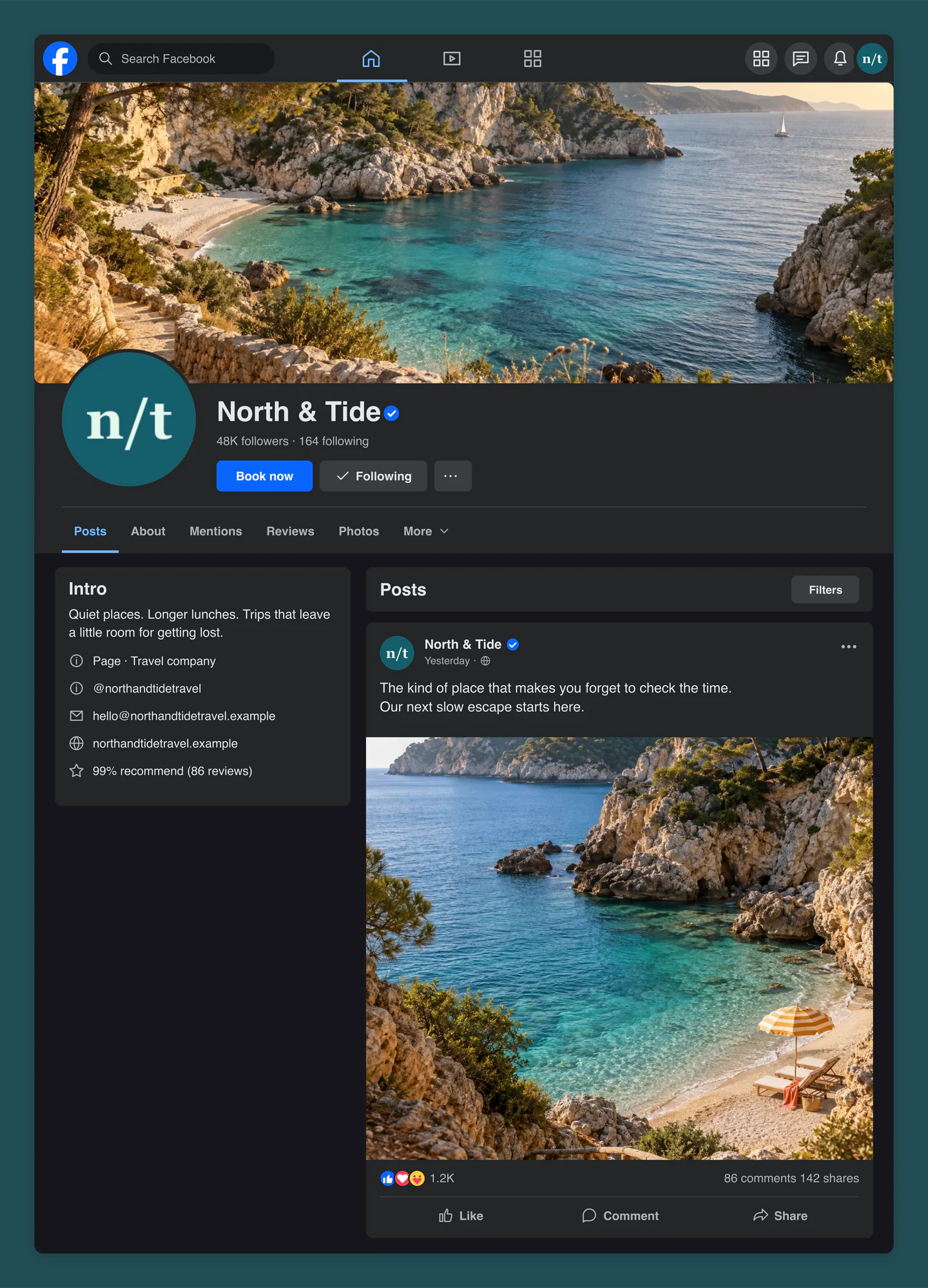
Desktop · Dark · Travel page
A dark desktop Facebook Page for a slow-travel brand. Pair a wide coastal cover with a separate cove photo, a booking button and a short introduction to the next escape.
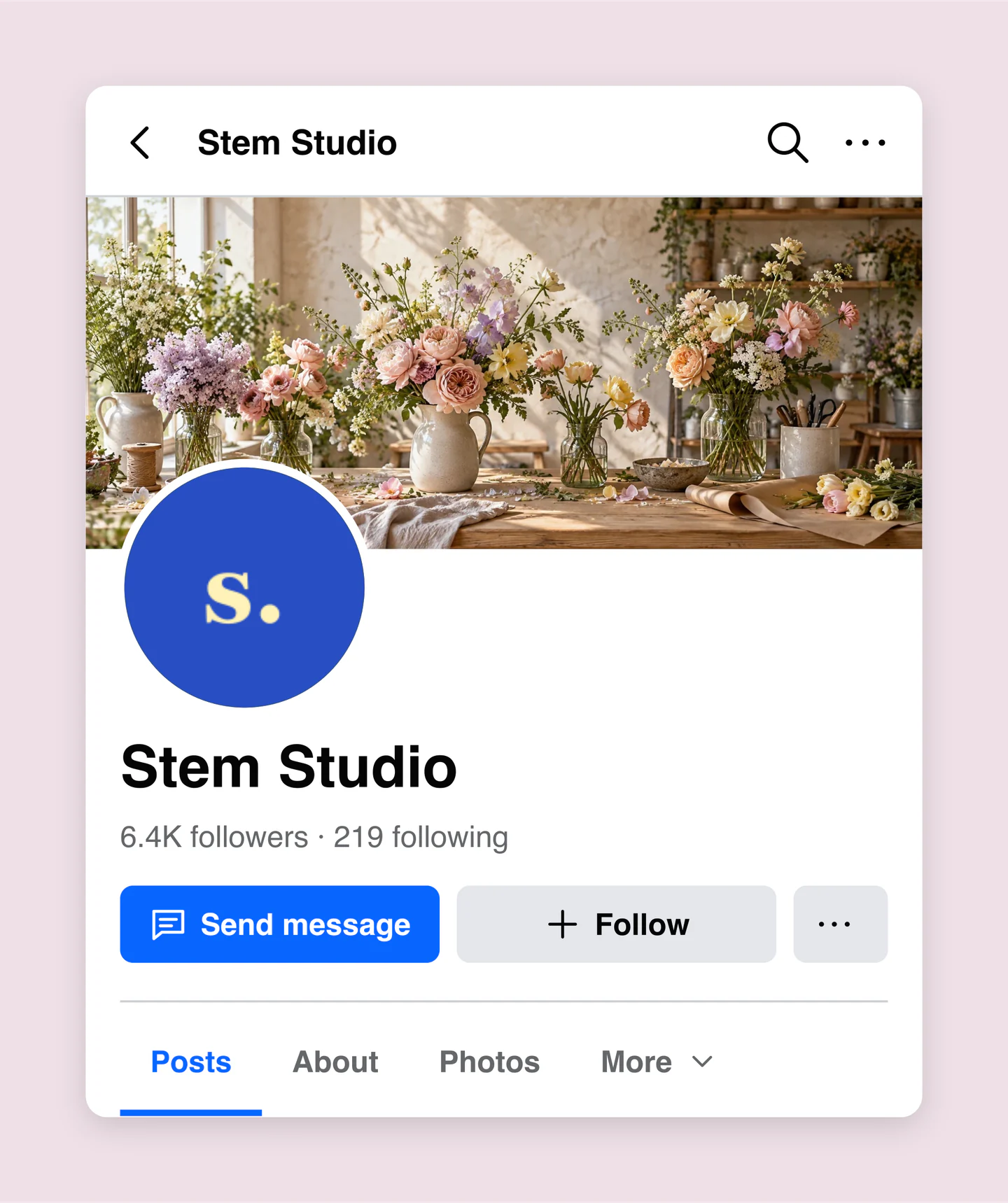
Mobile · Light · Page header
A mobile Facebook Page header for a floral studio, with a soft seasonal cover, matching profile logo and message button. Focus on the cover crop and profile overlap before adding the rest.
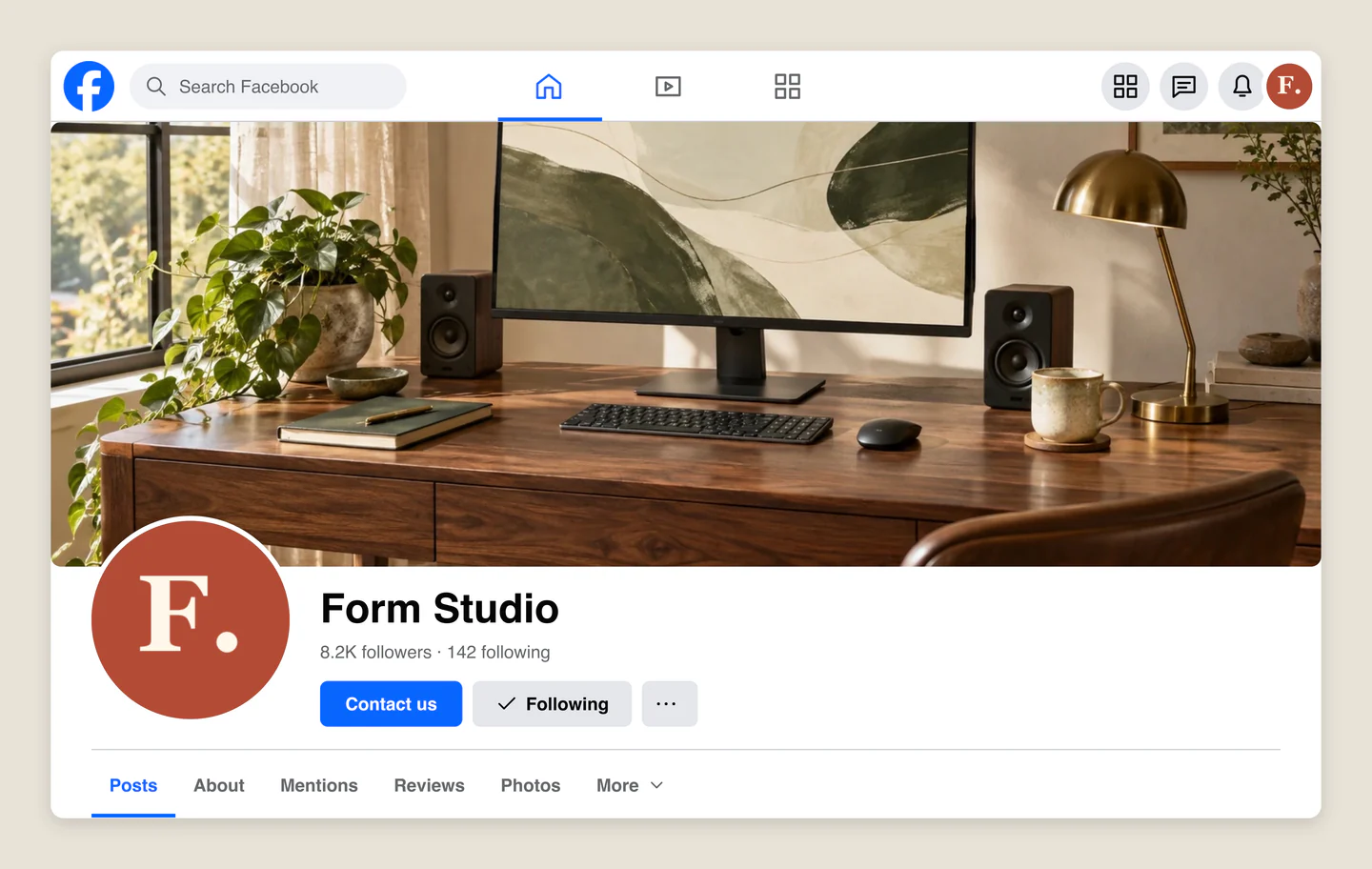
Desktop · Light · Studio header
A desktop Facebook Page header for a design studio, with a warm workspace cover and a compact brand mark. Try a client presentation focused on the page’s first impression.
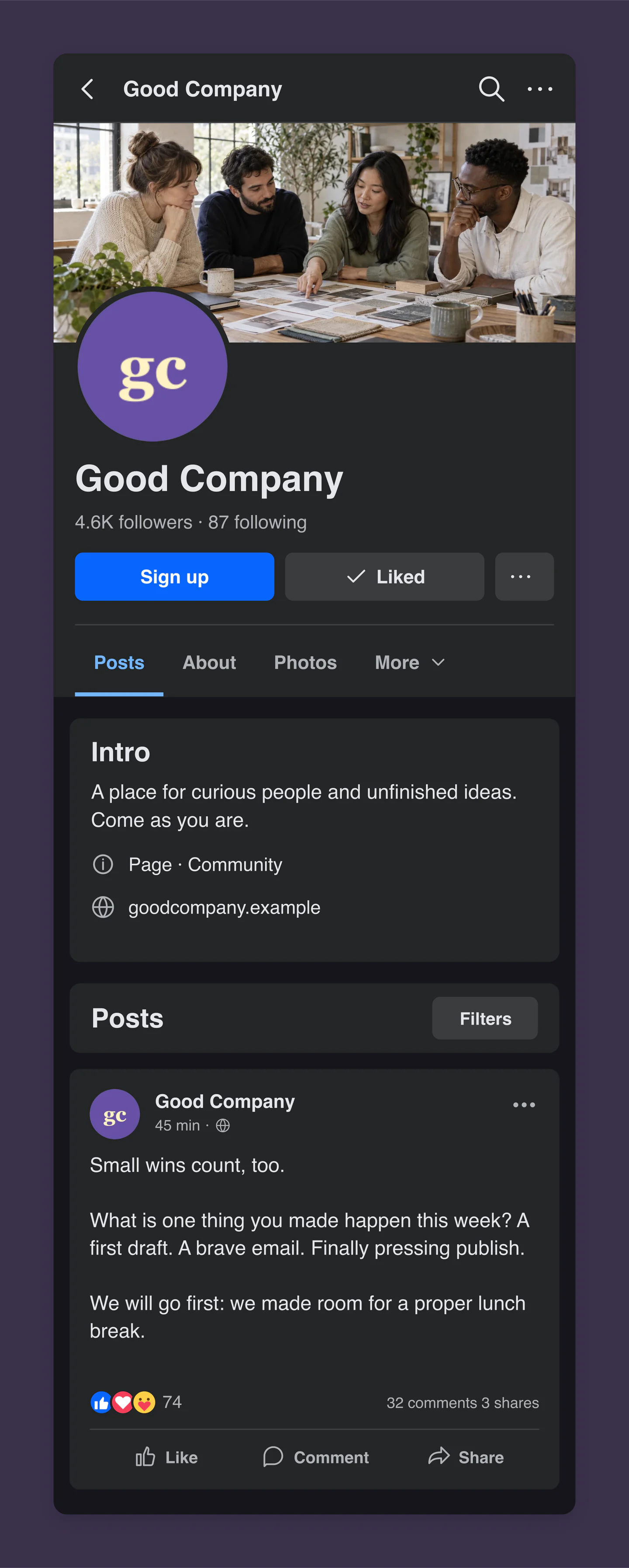
Mobile · Dark · Community page
A dark mobile Facebook Page for a creative community, with a collaborative studio cover and a text-only conversation starter. Try a different call to action, follower state and engagement counts.
Made with this generator. Sample brands, conversations and engagement counts are fictional.
SEE THE BIGGER PICTURE
Upload a cover and profile photo. Set the page name, follower counts and the action you want people to take.
Add an introduction and a sample post. Check the mobile and desktop views, or focus on the header alone.
Download a PNG or JPG at 1×, 2× or 3×, all free. Ready for your next branding presentation.
A FEW USEFUL DETAILS
Yes. Save project downloads an editable file with your settings, text and uploaded images. Open project restores it in the same tool, or lets you paste project JSON from an assistant. Review it before replacing your draft. Files are processed in your browser, not uploaded to your account.
Yes. Images exported from these social and app mockup tools can be used in personal projects, social posts, presentations and client work without a Mockaps subscription or attribution. You still need permission for content you add. Platform names and logos belong to their owners; a mockup does not imply their endorsement.
Yes. All current editing features and PNG or JPG downloads at 1×, 2× and 3× are free. No account, subscription or watermark. The download controls show the exact pixel dimensions for your design. Very large designs may need a smaller size to fit your browser’s image limits.
Add your page name, profile photo, cover image and follower counts. Choose action buttons, write a bio and business details, and create a sample photo or text post. Try mobile and desktop layouts, light and dark mode, or a header-only view for checking your branding.
Yes. Each image is independent. Replace your cover in Cover image, your profile photo in Page & profile, and your post image in Sample post. Upload PNG, JPG or WebP files up to 8 MB. Images are resized in your browser and embedded in the download.
Yes. Zoom and reposition your cover, then switch between mobile and desktop to see how it sits behind the profile photo. This is a page-layout preview; Facebook’s live crop can vary by device and interface update.
Yes. In Page & profile, choose Header only to focus on the cover, profile image, name, follower counts and buttons. Switch back to Full page to include your Intro panel and sample post. Your hidden content stays saved.
Your latest page mockup and resized images save in this browser on this device. This draft is separate from the Facebook Post tool and is not saved to your account. Clearing site data removes the draft. If local storage fills up, keep the tab open and download your mockup.
No. This tool creates still images for campaign planning, branding presentations and client reviews. It does not connect to Facebook, create a page, send messages or publish content. Buttons, follower counts and contact details are visual examples.
This preview recreates a familiar public Page layout with a cover, profile, Intro panel and feed. Facebook can vary its interface by device, page type and product update. Check your final branding in Facebook before publishing.
Yes. Choose Use this example below the editor to load its cover, profile image, page details and sample post. Cover and post images can be replaced and cropped independently. You will be asked before your local Facebook Page draft is replaced, and you can restore the previous draft until you reload the page. Your other tools’ drafts stay separate.
An independent tool by Mockaps. Facebook is a trademark of Meta. This tool is not affiliated with or endorsed by Meta.